Add Mango to Claude
Mango becomes a connector inside Claude — your objectives, to-dos, time, meetings, and planning show up as tools in any chat. You sign in once so the connection acts as you, and only ever sees your data.
Add it to Claude, step by step
Four steps inside Claude's web or desktop app. Here's exactly what each screen looks like.
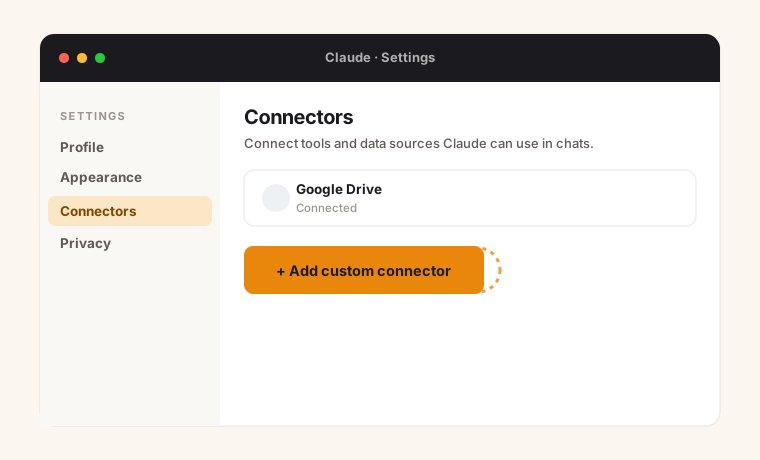
Open Settings → Connectors
In claude.ai (or Claude Desktop), go to Settings → Connectors, then click Add custom connector. On some plans this lives under a Customize button.
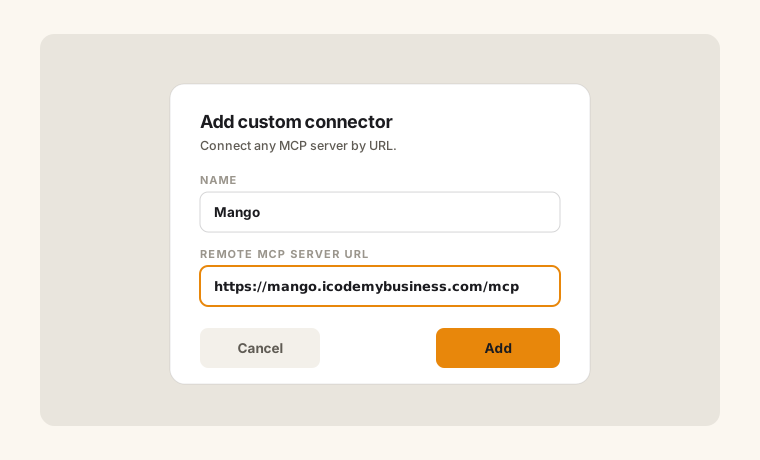
Paste the MCP URL
Name it Mango, paste the remote MCP server URL below into the server-URL field, and click Add.
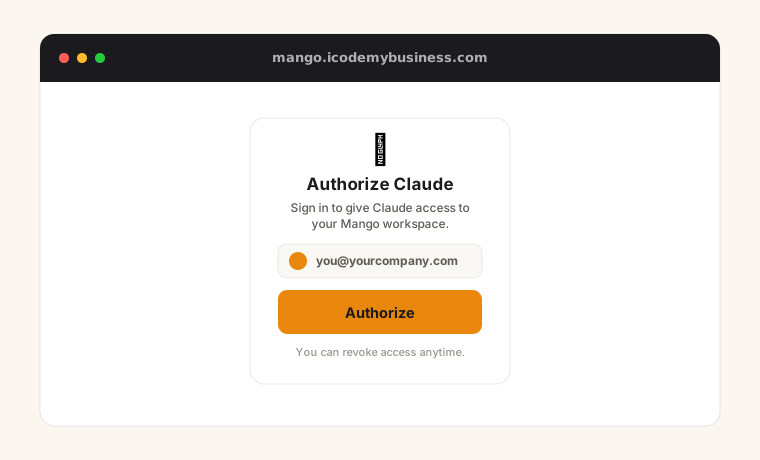
Sign in to authorize
Claude opens Mango in a popup. Sign in and click Authorize — this binds the connector to your account. No data is shared until you do.
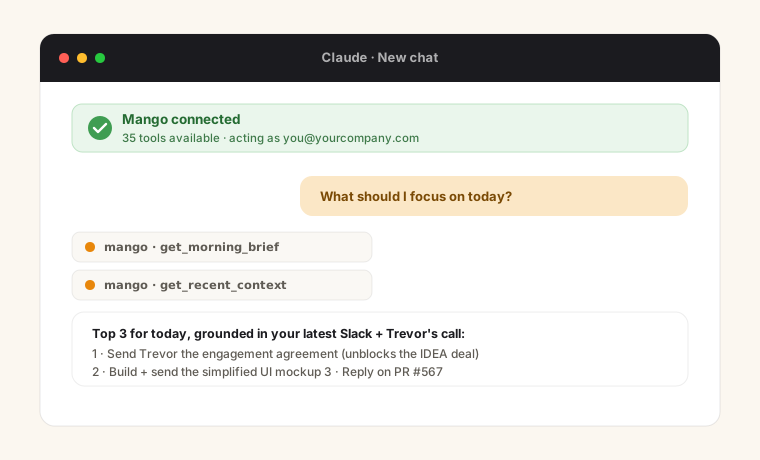
Connected — start using it
Mango's tools are now available in every chat. Try “What should I focus on today?” or “What am I building toward in 3 years?”
Connector details
Copy these into the dialog Claude shows you.
Suggested name
MangoRemote MCP server URL
https://mango.icodemybusiness.com/mcpPrefer Claude Code? Run this
claude mcp add --transport http mango https://mango.icodemybusiness.com/mcp --header "Authorization: Bearer mps_your_key_here"
Your push key comes from your Mango account — it scopes every tool to your own data, exactly like the connector flow.
What you can ask
Mango exposes your whole workspace as tools — objectives, to-dos, time, meetings, and planning across every horizon.
Plan the day
Free“What should I focus on today?”
Your ranked cross-client to-do, with sources.
Catch up fast
Free“Anything new since I looked?”
Latest Slack DMs & meeting recaps, newest first.
Check the week
Free“Am I on pace this week?”
Objective hours vs. your Sunday-locked plan.
Think long-term
Free“What am I building toward in 3 years?”
Capture or check off goals across every horizon.
Know the numbers
Free“Where am I in the invoice cycle?”
Hours, earnings, and projections.
Stay grounded
Free“What did we agree with this client?”
Contracts, rocks, and meeting context.
The Anytime Status Agent
AdvancedGive a client an always-on agent that answers “are we on track?” from status you preview and publish — you control the narrative.
Don't see “Add custom connector”?
Custom connectors are rolling out across Claude plans. If it's not in your Settings yet, use the Claude Code command above — it works today — and check back. Either way, no credit card to start.